
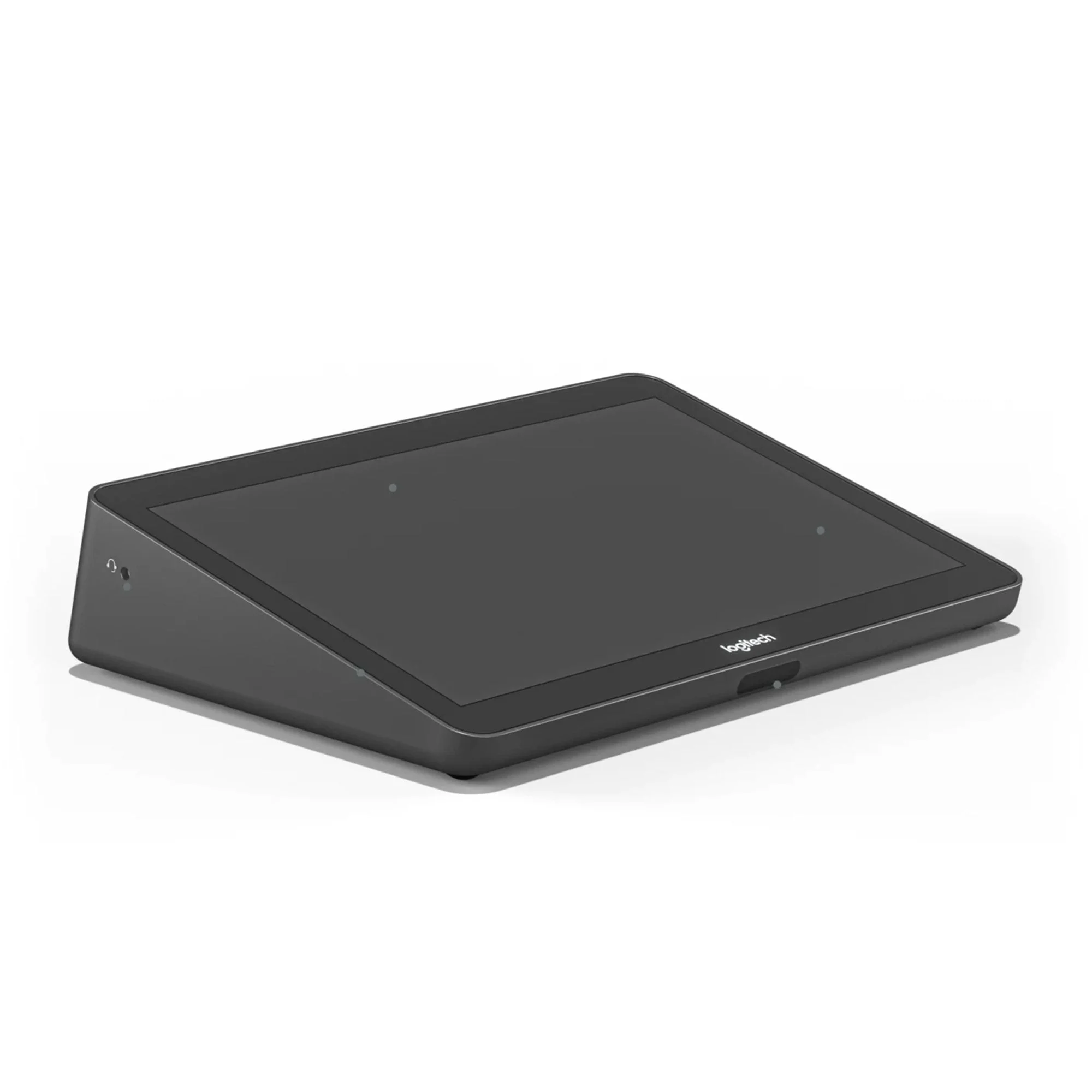
####Item has been opened and has signs of use; this could be scuffs or scratches from use, dirt and/or dust from use. The item is in otherwise good working condition. All parts not included.####
More than just a meeting room touch controller, Logitech Tap is what helps you achieve a consistent user experience across your entire deployment. Boasting a spacious 10.1-inch touchscreen, low-profile enclosure, and multiple mounting accessories, Logitech Tap delivers a sleek appearance and convenient placement options that support a wide range of room sizes and layouts. And, with its HDMI input, content sharing is instant and effortless. Wireless content sharing is also available depending on your chosen video conferencing service.
Deliver one-touch join, calendar integration, instant content sharing, and a consistent experience across meeting rooms. With a sleek design, silent operation, and motion sensor for always-on readiness, Tap brings ease and convenience to video collaboration.
- Easily start and join meetings with just one tap
- 10.1” touch display offers a spacious and responsive touch screen that resists fingerprints and glare for high legibility and easy operation
- Sleek, low profile with a comfortable 14-degree angle allows for easy viewing while providing an unobtrusive presence in the room
- Built-in motion sensor saves power when idle, and powers on when a person approaches
- Headphone jack extends the host computer’s wired audio capabilities to the tabletop, ideal for private conversations and for the hearing-impaired
- Sturdy metal cover with removable bottom and rear exits keep cables tidy and secure
- Built-in cable retention and strain relief system hides the cable entirely within its enclosure and secures it to prevent unwanted disconnections
- USB accessory port lets you connect an accessory such as a USB speakerphone
- HDMI input for content sharing provides instant wired content sharing when used with Google Meet, Microsoft Teams Rooms, and Zoom Rooms
- Keep Tap securely in place by connecting a security cable to one of Tap’s 2 Kensington lock slots
- Resolution: 1280 x 800
- USB 2.0/3.0/3.1 Type C (to PC), USB 2.0 Type A (for accessory connection)
- HDMI input (for content sharing)
- 3.5mm 4 pole Headset Jack
- Integrated ultrasonic speaker
- Integrated PIR Motion Sensor
- 100mm x 100mm VESA FDMI (Flat Display Mounting Interface
- Kensington Lock Slots (2)
- SYSTEM REQUIREMENTS:
- Windows 10 Chrome, OS 80 and higher, Logi CollabOS, USB 2.0, 3.0, or 3.1 Type-A port
- Dimensions (L x W x H): 2.3 x 9.6 x 7 inches
- Weight: 2.75 pounds
- Product Condition: Used – item may have signs of wear
- Product sold as-is
Questions? We’ve Got Answers.
Helpful answers about product features, setup, and more
What material is the room accessory made of?
The room accessory is constructed from metal. This material choice supports everyday use while maintaining the structural integrity needed for the product’s intended applications.
What are the dimensions of the room accessory?
The room accessory measures 2.3 x 9.6 x 7 inches (length x width x height). Use these measurements to confirm the product fits your intended setup before ordering.
How do I clean and care for the room accessory?
Wipe down with a soft cloth and mild cleaning solution suited to metal. Avoid abrasive cleaners that may damage the surface. Regular light cleaning extends the lifespan of the room accessory and keeps it looking and performing well over time.
How is the room accessory installed or mounted?
The room accessory is a tabletop / countertop setup. Plan the installation around this mounting type — verify wall studs, ceiling joists, or surface stability as applicable, and follow the included instructions for mounting hardware and placement.
What connectivity options does the room accessory support?
The room accessory supports HDMI. Confirm your existing devices, network, or smart-home setup are compatible before purchase. Setup instructions for pairing or connection are included with the product.
Who makes the room accessory?
The room accessory is made by Logitech Tap. Logitech Tap produces this item as part of its lineup, and product details such as specifications, included accessories, and warranty terms are set by the brand.

Reviews
There are no reviews yet.